From 2D Maps to a 3D Wayfinding Experience
Evolving Intel's interactive wayfinding system for its main MWC Barcelona experience.
After designing interactive 2D wayfinding kiosks for two previous Intel events — Embedded World and SC MWC — our team was brought in for Intel's main MWC experience in Barcelona.
This time, instead of extending the existing 2D map approach, we explored a 3D interactive map built in Unity, turning the physical booth into the navigation interface.
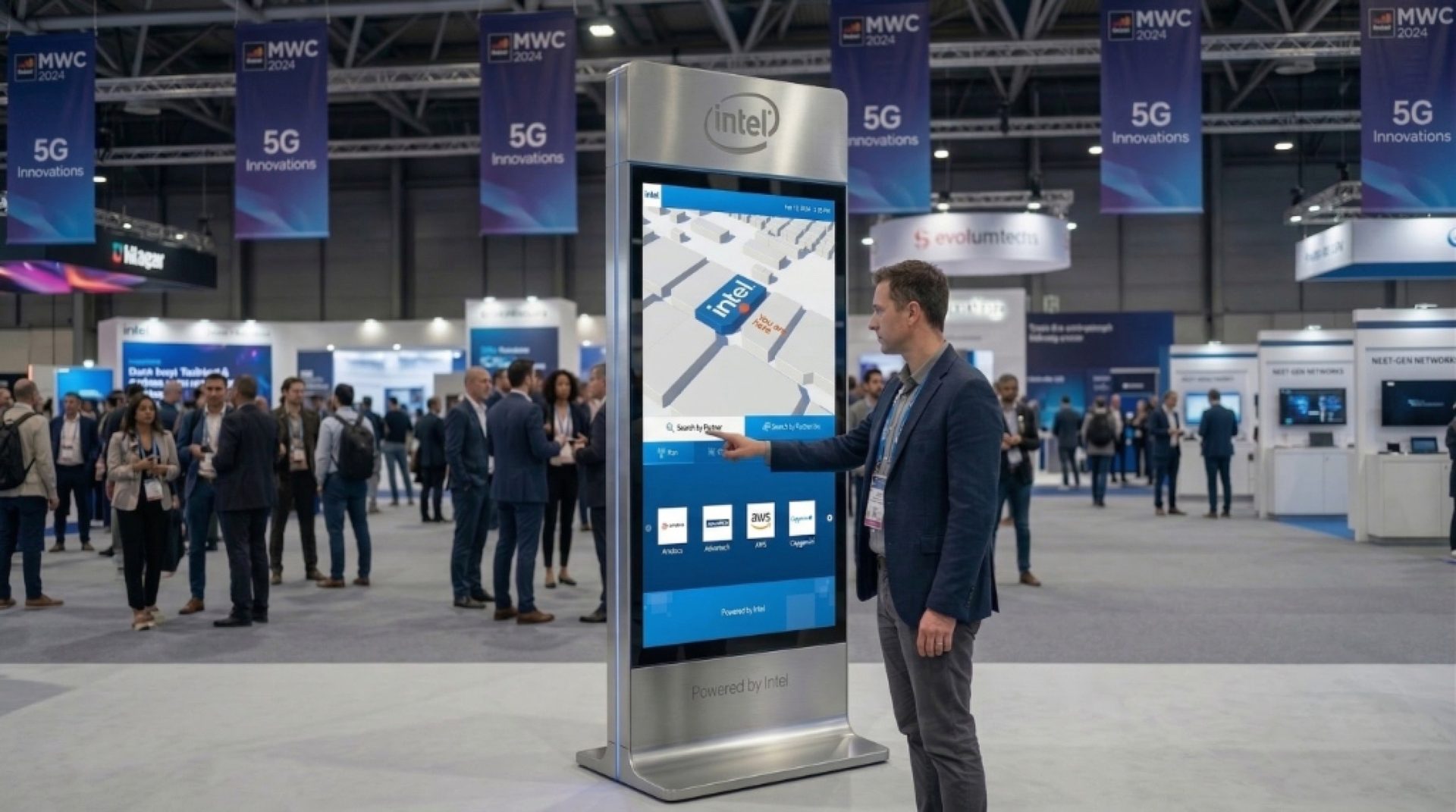
How do you make a large physical experience easy to navigate?
The previous two experiences had established a 2D wayfinding system. MWC Barcelona was the opportunity to take that system further.
The challenge was not simply creating a more impressive map. It was making the 3D experience useful for navigation while still working within the realities of a live event and a new technical workflow.
Evolve without losing familiarity
We already had a working 2D wayfinding pattern from the previous events. Moving to 3D meant introducing a new interaction model without making navigation harder.
Make space understandable
A flat map represents locations. A 3D map could represent the actual spatial relationship between experiences. The question was how much of that spatial detail was useful to the visitor.
Design across disciplines
The experience was built in Unity, so the design depended on close collaboration between UX, 3D design, Unity development, project management and Intel stakeholders.
Maintain visual accuracy in Unity
Unlike Figma, Unity wasn't a shared visual design environment where I could precisely control and communicate every alignment. Small implementation differences could change the optical balance of the interface.
Designing the wayfinding system
Move from a 2D map to a 3D environment
The previous Intel kiosks used 2D interactive maps. For MWC Barcelona, we chose to represent the booth as a 3D interactive environment instead.
The decision wasn't about using 3D simply because it looked more impressive. It gave visitors a more direct mental model:
The physical environment became the foundation for the digital navigation experience.
Give visitors multiple ways to find their destination
Visitors arrived with different goals — some wanted to locate a specific partner showcase, while others were exploring technology domains like 5G or Edge.
The interface supported both pathways: visitors could search through partner listings or browse by domain categories, while using the interactive 3D map for spatial context.
The goal was to reduce the gap between “Where is this on the map?” and “Where is this in the booth?”
Connect digital discovery to physical navigation
Finding a destination on screen was only the first step; visitors still needed to walk there through a crowded trade-show floor.
The interface therefore needed to help visitors move from discovery to destination without turning the wayfinding experience into an overloaded product showcase.
The design focused on giving visitors enough spatial context to understand where they were going, linking each destination to its exact booth coordinates and stand locations.
Design for Unity, not just Figma
This became one of the most practical challenges of the project. I worked closely with a freelance Unity developer while the 3D environment was being built.
In Figma, alignment and spacing could be communicated precisely. In Unity, the same element could look different once perspective, scale, depth and the surrounding 3D environment were introduced. A mathematically aligned element could still look visually misplaced.
So I changed the way I reviewed the design. Instead of treating the Figma file as the final authority, we repeatedly compared the implementation against the intended visual outcome:
I used optical balance, rather than relying only on numerical alignment, to determine whether elements actually felt right in the environment. With a tight event timeline and a remote freelance developer, keeping this loop moving sometimes meant working late to resolve visual issues quickly.
This was less about handing over a perfect specification and more about protecting the design intent through implementation.
From discovery to destination
The wayfinding system was designed to take visitors from initial booth orientation to their target partner showcase — combining 3D spatial awareness with fast category search.

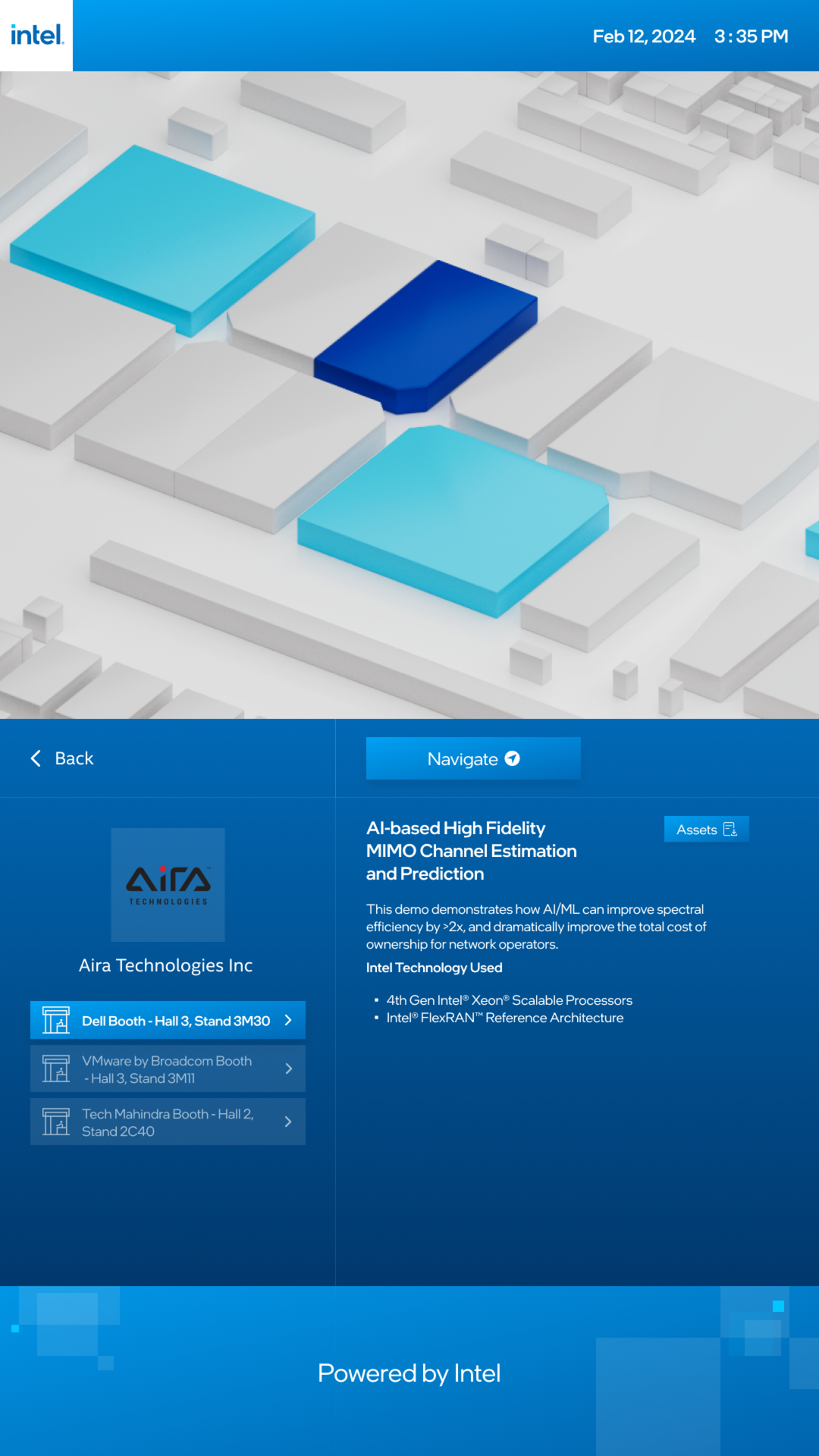
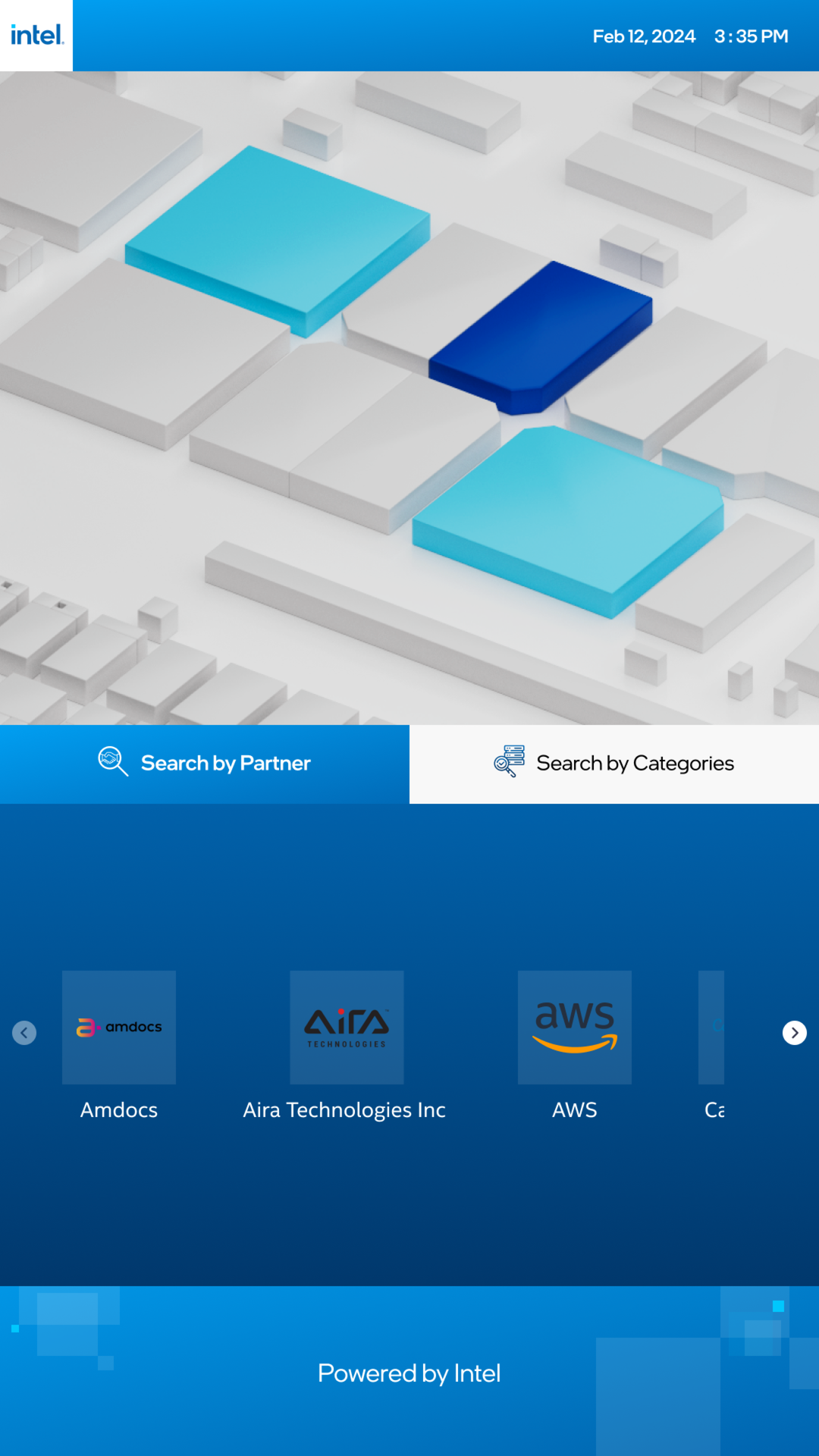
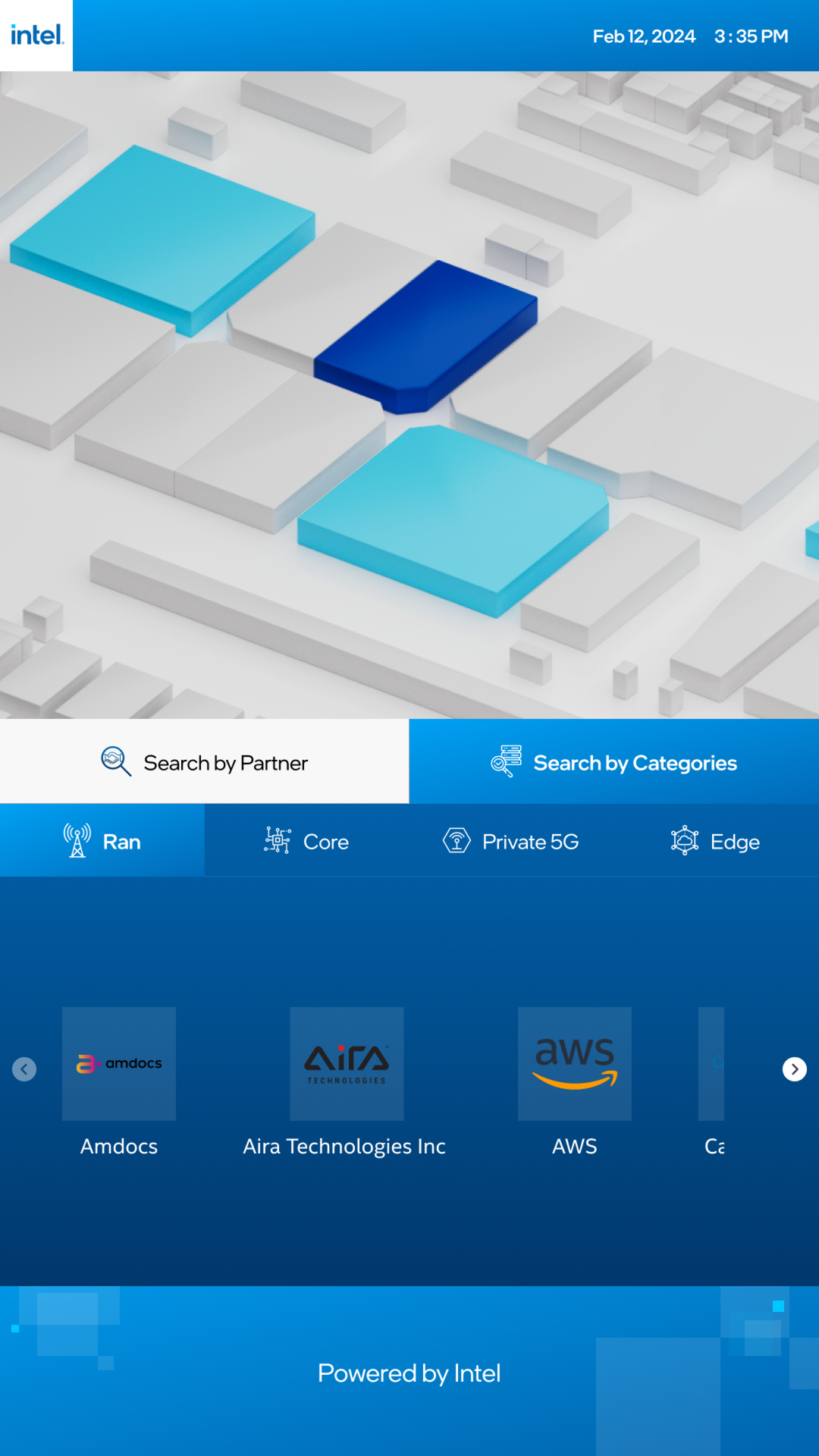
A new direction for Intel's wayfinding system
A 2D system evolved into 3D
The MWC experience evolved the previous 2D interactive map approach into a 3D spatial experience.
The booth became the mental model
Instead of asking visitors to interpret a flat floor plan, the experience used the physical environment itself as the foundation for navigation.
Designed for the real environment
The experience was shaped around the realities of a live MWC booth — physical space, visitor movement, technical constraints and event timelines.
Built through cross-functional collaboration
The project required continuous collaboration across UX, 3D design, Unity development, project management and Intel stakeholders, with design decisions being validated in the actual implementation rather than only in Figma.