Designing for Focus in Critical Workflows
A safety-critical interface for guiding radiology teams from patient readiness to scan execution with clarity, hierarchy, and minimal visual distraction.
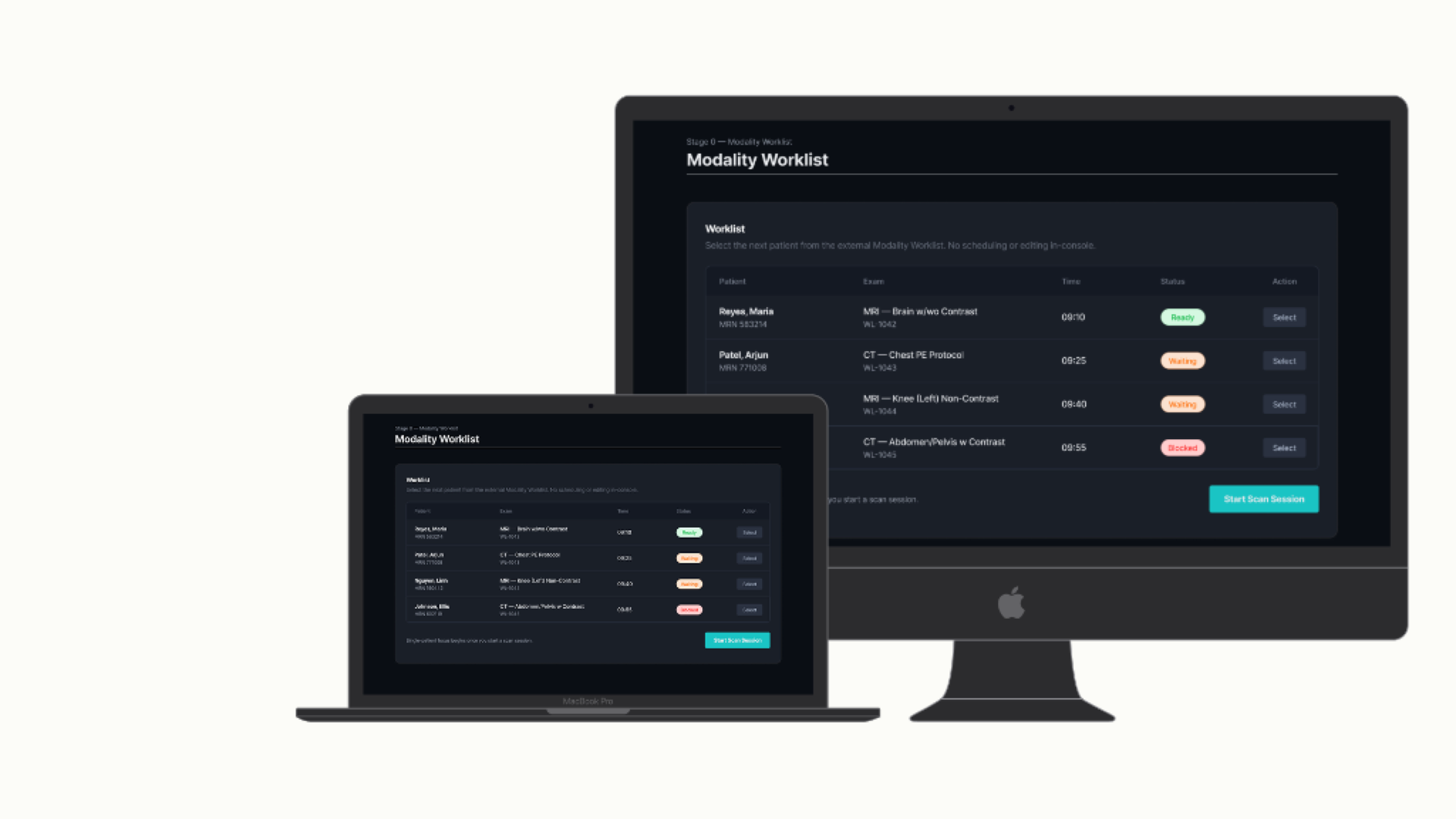
Designing for Focus Under Complexity
Radiology environments require precision, speed, and absolute clarity when handling complex scan data and patient safety protocols.
High cognitive load
Technicians must process multiple clinical parameters, patient readiness statuses, and equipment settings simultaneously under time pressure.
Visual distraction
Legacy systems clutter screens with dense data grids and unprioritized alerts, increasing fatigue and operational risk during long shifts.
Safety-critical decisions
Protocol verification and patient clearance steps require clear visual confirmation states to prevent procedural errors.
A Workflow-First Console
Our approach focused on reducing visual clutter and structuring complex clinical tasks into a clear, linear operational progression.
Progressive information hierarchy
Information is organized into distinct workflow phases, surfacing only what is necessary at each stage of patient management.
Clear workflow states
High-contrast status badges and clear visual cues guide technicians seamlessly from patient readiness to scan execution.
A low-distraction visual system
Purposeful dark-mode typography and focused contrast keep critical clinical data front and center without unnecessary visual noise.
Designing the Radiology Workflow
The console guides technicians through a structured, multi-stage workflow from initial patient readiness verification to final scan execution.
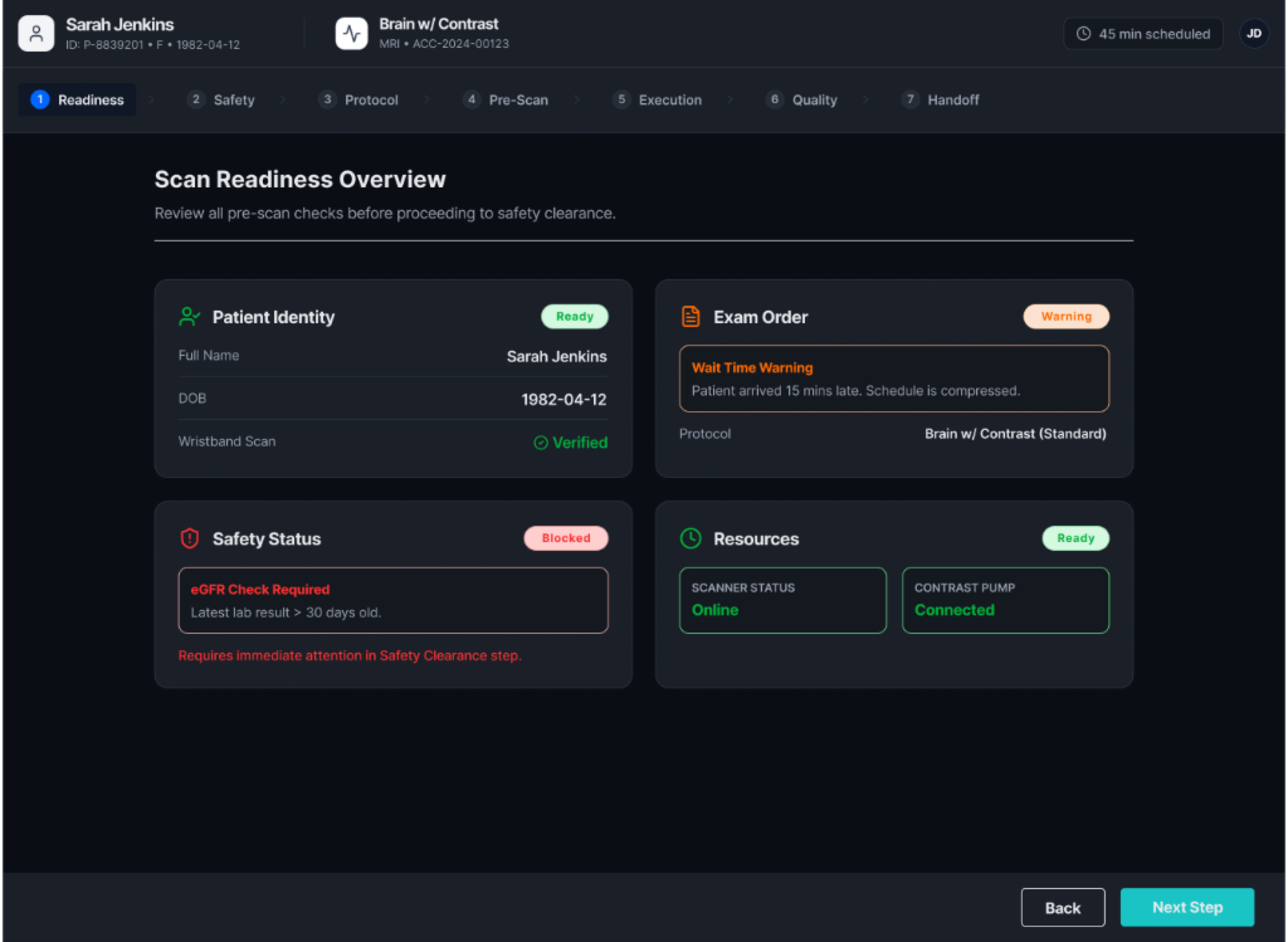
Patient Readiness & Pre-Scan Setup
Verifying patient identification, procedure consent, and pre-scan readiness parameters prior to starting scan protocols.
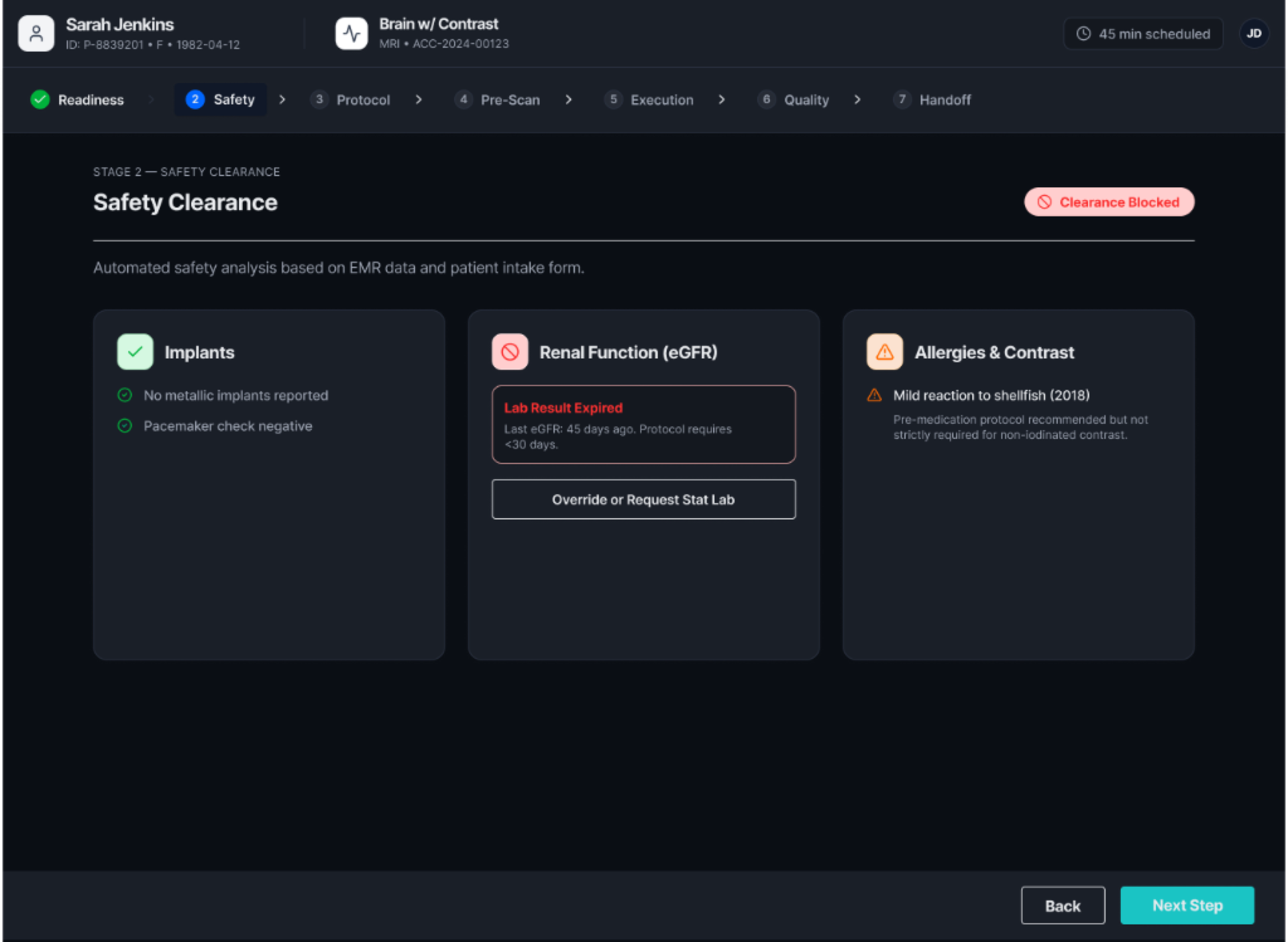
Safety Clearance & Questionnaire
Reviewing screening questionnaires, safety alerts, and contraindications before granting clearance for active imaging.
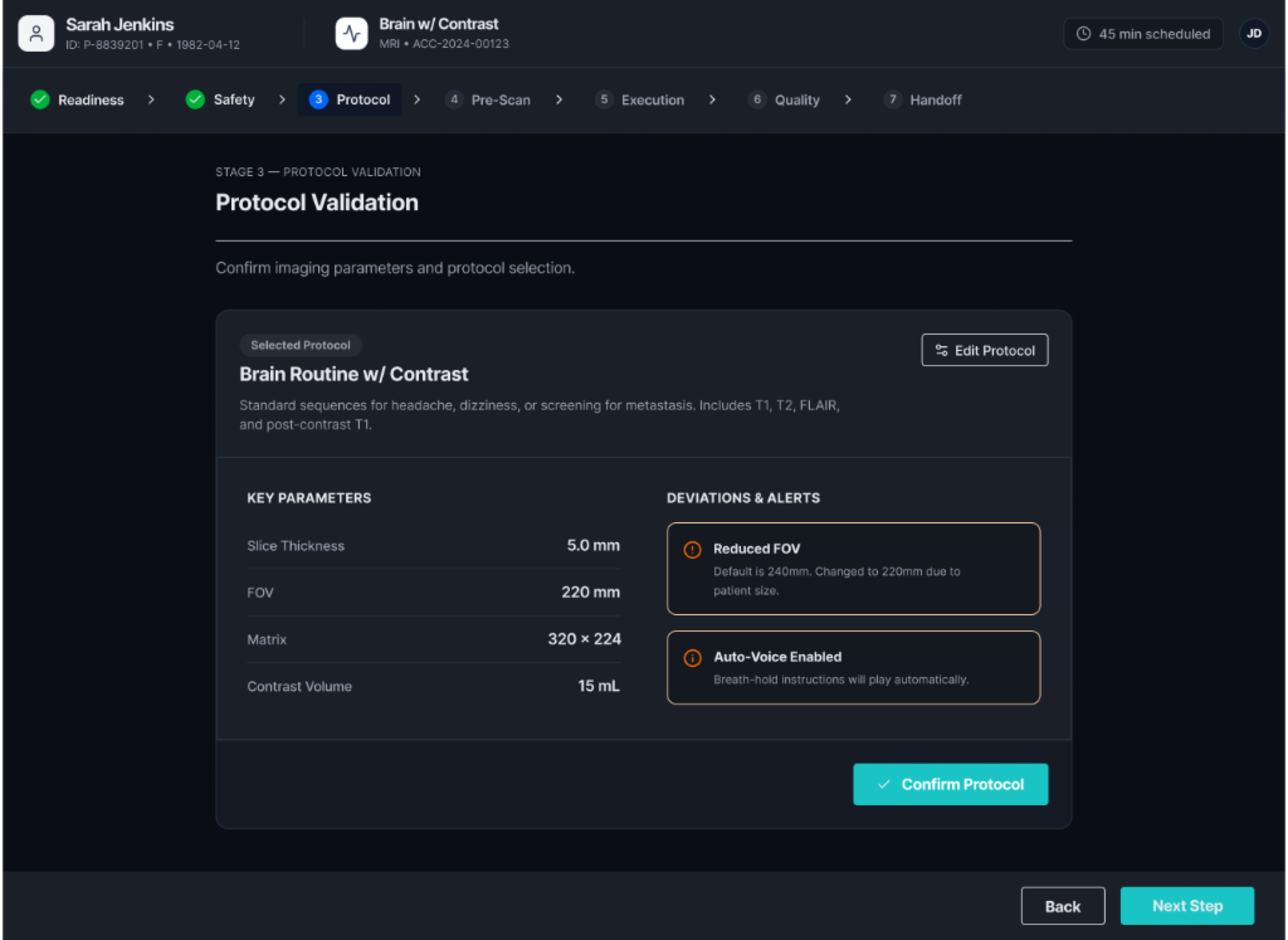
Protocol Validation & Parameters
Configuring and confirming scan parameters, contrast administration protocols, and target sequence profiles.
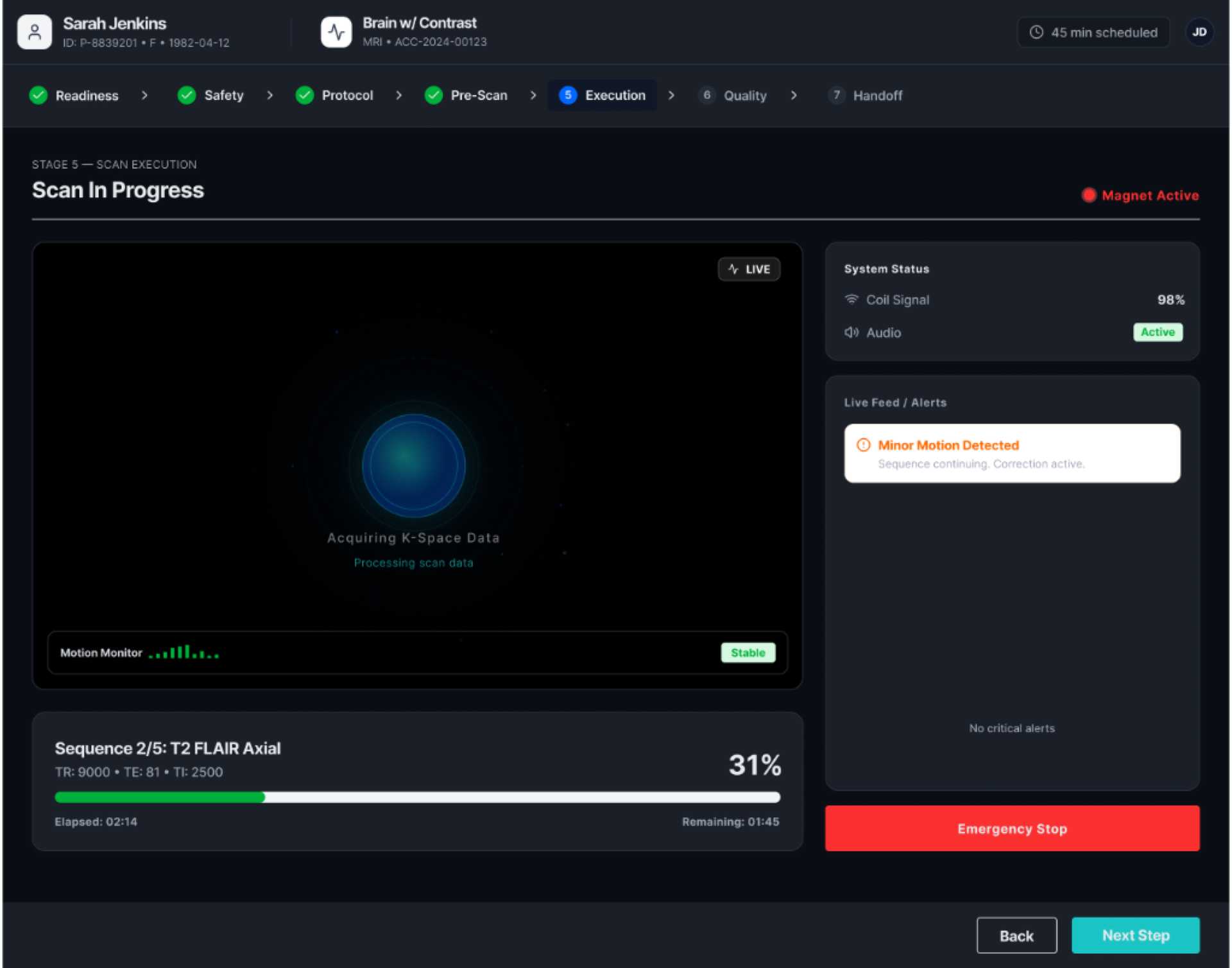
Scan Execution & Live Monitoring
Monitoring live scan progression, real-time telemetry parameters, and post-scan summary output for quality assurance.
Design Outcome
Clearer workflow progression
Technicians move smoothly between pre-scan checks and active execution without losing context or skipping safety steps.
Stronger visual hierarchy
High-contrast status indicators and structured panels dramatically reduce scanning time and cognitive fatigue.
A scalable console foundation
Built on a modular component architecture capable of adapting across different imaging modalities and clinical settings.